Learn how to migrate an academic journal to a new publishing platform while preserving articles, metadata, DOIs, URLs, editorial records, and publishing workflows.
TL;DR
- Audit your journal before migration. Understand what content, data, files, and workflows currently exist.
- Protect the scholarly record. Preserve articles, metadata, DOIs, URLs, and important digital assets.
- Clean and map your data. Resolve inconsistencies and match existing fields to the new platform before importing.
- Test before going live. A controlled test migration can reveal problems before they affect the entire journal.
- Monitor the new platform after launch. Check content, links, metadata, workflows, and integrations to confirm everything works as expected.
Academic journals accumulate a substantial amount of information over time.
Every article, issue, author record, DOI, citation, manuscript, and editorial decision contributes to the journal’s publishing history. As this archive grows, publishers may eventually find that their existing platform no longer provides the tools, flexibility, or workflows needed to manage it effectively.
Platforms like Alkademy Press provide a structured environment for academic publishing, helping publishers manage scholarly content, journal information, metadata, and publishing workflows in one place.
For journals considering a move to a new platform, migration can be an opportunity to improve how their content and publishing operations are organized.
However, migrating an academic journal involves much more than moving article files. Publishers also need to preserve important metadata, DOIs, URLs, digital assets, editorial records, and relationships between publishing records. A well-planned migration helps protect the journal’s existing scholarly record while establishing a reliable foundation for future publishing.
Related Article: How to Migrate From OJS to a Hosted Journal Management Platform
Why Do Academic Journals Migrate to a New Publishing Platform?
Journals may consider a journal platform migration when their current technology no longer meets their publishing needs.
- Outdated technology: Older platforms may lack modern features, integrations, or reliable maintenance options.
- Growing workflows: Increasing submissions can make manuscript management, peer review, revisions, and publication harder to coordinate.
- Limited integrations: Journals may need better connections with DOI and metadata services, ORCID, indexing platforms, analytics tools, and institutional systems.
- Author and reader experience: Difficult submissions, poor navigation, limited search, or inconsistent content presentation can create unnecessary friction.
- Scalability: A platform suitable for a small journal may struggle as its archive, editorial team, content volume, or operations grow.
- Changes in publishing operations: A new publisher, editorial structure, ownership arrangement, or publishing strategy may require a different technical environment.
What Needs to Be Migrated From an Academic Journal?
Before starting a journal data migration, publishers need to understand exactly what exists within the current system.
The migration may involve much more than published article files.
Journal Information
This can include:
- Journal title
- ISSN and eISSN
- Publisher information
- Editorial information
- Publication frequency
- Subject classifications
Articles, Issues, and Volumes
The published archive may contain:
- Article titles and abstracts
- Full-text content
- Figures and tables
- Supplementary files
- Issues and volumes
- Publication dates
Keeping these elements connected is important because an article is not an isolated record. Its issue, volume, publication date, authors, references, and other metadata form part of its publishing context.
Author Metadata
Author information may include:
- Names
- Affiliations
- ORCID IDs
- Corresponding author details
- Contributor roles
This information should be reviewed carefully before migration, particularly where older records contain inconsistent formatting.
Editorial and Submission Records
Depending on the scope of the migration and the capabilities of the new platform, publishers may also need to consider:
- Manuscript submissions
- Revisions
- Peer-review records
- Editorial decisions
- Publication history
Not every historical operational record necessarily needs to move to the new system. That decision should be made as part of the migration plan.
DOIs, References, and Relationships
Identifiers and relationships between records are another important part of the migration.
These can include:
- DOIs
- Article identifiers
- References
- Citation metadata
- Related content
- Links between articles, issues, volumes, and authors
Preserving these relationships helps maintain continuity across the journal’s existing scholarly record.
How to Migrate an Academic Journal to a New Publishing Platform
A successful journal platform migration starts with preparation and moves through several controlled stages. Each step helps reduce the risk of losing content, metadata, identifiers, or publishing continuity.
Step 1: Define the Migration Scope
Start by deciding exactly what will move to the new platform.
Determine whether the migration includes:
- Published articles
- Issues and volumes
- Author records
- Current submissions
- Peer-review records
- Editorial history
- Supplementary files
- User accounts
A clear scope prevents important records from being overlooked and helps the migration team estimate the work involved.
Step 2: Audit the Existing Platform
Review how the current publishing system stores and manages journal information.
Look at:
- Content types
- Metadata fields
- Database structure
- User roles
- Editorial workflows
- Custom features
- Integrations
- Existing URLs
The audit should also identify limitations or inconsistencies that need to be addressed before migration.
Step 3: Create a Data Inventory
Create a detailed record of the journal’s existing content and data.
Document the number of:
- Articles
- Issues
- Volumes
- Authors
- Submissions
- Review records
- Digital files
- Metadata records
This inventory provides a baseline for checking whether the migration is complete.
Step 4: Back Up the Existing Journal
Create a reliable backup before making changes to the existing platform.
Back up:
- Database records
- Article files
- Images
- Supplementary materials
- Metadata
- Configuration data
- Relevant editorial records
Keep the original data available until the new platform has been thoroughly validated.
Step 5: Clean and Standardize the Data
Migration is a good opportunity to address data quality problems.
Check for:
- Duplicate records
- Missing metadata
- Inconsistent author names
- Incorrect dates
- Incomplete affiliations
- Invalid identifiers
- Broken references
- Missing files
Cleaning the data beforehand makes the transfer easier to validate and reduces problems on the new platform.
Step 6: Map Data Between Platforms
The old and new systems may organize information differently, so create a field-by-field mapping before importing data.
For example:
| Existing Platform | New Platform |
| Article Title | Article Title |
| Author Name | Contributor |
| Abstract | Abstract |
| DOI | DOI |
| Volume | Volume |
| Issue | Issue |
| Publication Date | Publication Date |
Document any fields that do not have a direct equivalent and decide how they should be handled.
Step 7: Configure the New Platform
Set up the new publishing environment before importing the full journal.
Configure:
- Journal structure
- Volumes and issues
- Editorial roles
- Submission workflows
- Metadata fields
- Access permissions
- Publication settings
- Required integrations
The goal is to make sure the destination platform is ready to receive the journal’s data.
Step 8: Run a Test Migration
Do not begin with the entire archive.
Move a representative sample first, including different article types, publication years, metadata structures, and file types.
Use the test to identify:
- Import errors
- Missing metadata
- Formatting problems
- Broken relationships
- File issues
- Workflow problems
Resolve these issues before proceeding with the full migration.
Step 9: Perform the Full Migration
Once the test migration has been validated, transfer the remaining journal data.
This may involve:
- Importing records
- Transferring files
- Reconnecting related records
- Verifying metadata
- Reconciling record counts
- Recording failed or exceptional imports
Keep a migration log so that problems can be traced and resolved systematically.
Step 10: Validate the Migrated Journal
Review the migrated content against the original inventory.
Check that:
- Articles display correctly
- Issues and volumes are complete
- Author information is accurate
- Metadata has transferred correctly
- Files open properly
- References remain intact
- DOIs are present
- URLs work
- Editorial workflows function correctly
Validation should happen before the new platform becomes the primary publishing environment.
Step 11: Launch and Monitor
Complete the final migration and make the new platform available to users.
After launch, monitor:
- Broken links
- Redirects
- DOI resolution
- Search indexing
- Missing content
- Submission issues
- User feedback
- Integration errors
The migration process does not end when the new platform goes live. Early monitoring helps identify issues before they affect more users or content.
How to Preserve DOIs, URLs, and Citation Metadata During Migration
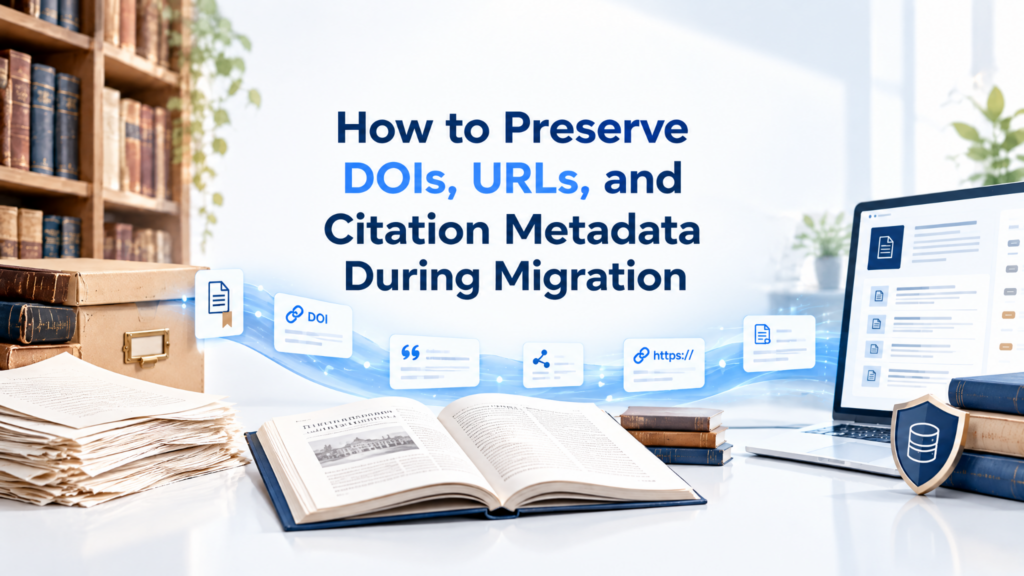
A journal’s existing identifiers and links are part of its scholarly continuity. They should receive special attention during academic publishing migration.
Existing DOIs
Review all existing DOIs before migration and make sure they remain associated with the correct articles. Avoid creating duplicate identifiers for content that already has an established DOI.
Article URLs
Document existing article URLs before the migration. If the new platform uses a different URL structure, create a clear mapping between old and new addresses.
Redirects
Set up appropriate redirects from old article URLs to their corresponding locations on the new platform. Test these redirects individually and through automated site checks where possible.
Citation Metadata
Preserve essential metadata used to identify and cite articles, including:
- Article title
- Authors
- Publication date
- Journal title
- Volume and issue
- DOI
- References
DOI Resolution
After migration, test DOI links to confirm that they resolve to the correct article on the new platform.
Search Indexing
Check that migrated article pages remain accessible to search engines and that important pages are not unintentionally blocked from indexing. Review sitemaps, canonical URLs, redirects, and indexing status as part of the post-migration checks.
Common Challenges in Academic Journal Migration
Migrating a journal involves multiple types of data and publishing workflows, so problems can occur when information does not transfer cleanly between systems.
Incompatible Data Structures
Different platforms may organize articles, users, metadata, and editorial records differently. Data that fits one system may require restructuring before it can be imported into another.
Metadata Problems
Incomplete, inconsistent, or incorrectly formatted metadata can lead to inaccurate article records and additional cleanup after migration.
Broken URLs
If the new platform uses a different URL structure, existing article links may stop working unless appropriate redirects are configured.
Missing Files
Article PDFs, figures, supplementary materials, and other digital assets can be missed during migration if they are stored separately from the main journal records.
Lost Record Relationships
Articles may become disconnected from their authors, issues, volumes, references, or supplementary files if relationships are not properly mapped.
Workflow Issues
Editorial workflows may behave differently on the new platform. Submission, review, revision, and publication processes should therefore be tested rather than assumed to work automatically.
DOI Problems
Incorrect DOI mapping can associate an identifier with the wrong article or prevent users from reaching the correct publication.
How to Reduce the Risks of Journal Platform Migration
- Maintain backups: Keep copies of the database, content, files, metadata, and configurations.
- Clean the data: Fix duplicates, missing information, and inconsistent metadata before migration.
- Map fields carefully: Match fields between the old and new platforms and account for structural differences.
- Run a test migration: Transfer a representative sample to identify and fix issues early.
- Validate results: Check content, metadata, files, identifiers, URLs, and record relationships.
- Plan for rollback: Define how to return to the previous system if critical issues arise.
- Document the process: Record field mappings, decisions, errors, exceptions, and corrections.
What to Test After Migrating an Academic Journal?
A successful data transfer does not automatically mean the new publishing platform is ready for use. Test the complete journal experience before considering the migration finished.
Content and Files
Check that:
- Articles display correctly
- PDFs and other files open
- Figures and tables are intact
- Supplementary materials are accessible
- Issues and volumes are complete
Metadata
Verify:
- Article titles
- Author information
- Affiliations
- Abstracts
- Keywords
- Publication dates
- DOIs
- References
URLs and SEO
Test:
- Article URLs
- Redirects
- Internal links
- Canonical URLs
- XML sitemaps
- Indexability
- Search functionality
Editorial Workflows
Test the processes editors and authors rely on, including:
- Manuscript submission
- Peer review
- Revisions
- Editorial decisions
- Production
- Publication
Publishing Integrations
Confirm that connected services continue to work correctly, including DOI services, ORCID, analytics, email notifications, and relevant indexing or discovery systems.
Journal Migration Checklist
Use this checklist to keep the academic journal migration organized from preparation through launch.
Before Migration
- Define the migration scope
- Audit the existing platform
- Create a data inventory
- Back up journal data
- Review URLs and identifiers
- Clean metadata
- Map data fields
- Document integrations
During Migration
- Configure the new platform
- Run a test migration
- Validate test records
- Import journal content
- Transfer digital files
- Verify metadata
- Check record relationships
- Document migration issues
After Migration
- Test article pages
- Test DOIs
- Verify redirects
- Check internal links
- Test editorial workflows
- Check indexing
- Test integrations
- Monitor errors and user feedback
How Long Does Academic Journal Migration Take?
There is no single timeline for migrating an academic journal. The amount of work depends on the journal’s size, data quality, platform requirements, and migration complexity.
Journal Size
A single small journal will generally involve fewer records and workflows than a large publication with an extensive archive.
Data Volume
Thousands of articles, files, author records, and historical submissions can increase the amount of data that needs to be processed and validated.
Metadata Complexity
Highly detailed or inconsistent metadata may require additional cleaning, mapping, and quality checks.
Integrations
The number of connected services can affect both configuration and testing requirements.
Custom Workflows
Journals with specialized submission, review, production, or publication workflows may need additional configuration before the new platform is ready.
For this reason, publishers should establish a migration timeline after auditing the journal rather than relying on a generic estimate.
Should You Migrate All Historical Journal Data?
Not every record from an existing publishing platform needs to move to the new system. The right approach depends on the journal’s publishing history, operational needs, and preservation requirements.
Published Content
Published articles, issues, and volumes are central to the journal’s scholarly record. These should be assessed carefully to ensure important content remains accessible after migration.
Editorial Records
Submission, peer-review, and editorial decision records may require different treatment from published content. Consider retention requirements and whether the new platform can support these records.
Historical Metadata
Older articles may contain valuable metadata even when some records are incomplete or inconsistently formatted. Review historical metadata before deciding what to migrate, archive, or update.
Digital Assets
Consider all files associated with historical publications, including:
- PDFs
- Figures
- Tables
- Supplementary materials
- Images
- Other publication assets
Preservation Requirements
Migration planning should account for long-term access to the journal’s scholarly record. Where certain historical records are not moved to the new platform, establish an appropriate archival or preservation approach.
Academic Journal Migration vs. Starting With a New Platform
A publisher moving to a new system can either migrate existing records or establish a new publishing environment while handling historical content separately.
| Consideration | Migration | New Setup |
| Historical content | Existing content can be transferred | Historical content needs separate archiving or import |
| URLs | Existing URLs may be preserved | New URL structures may be introduced |
| Metadata | Existing metadata can be cleaned and mapped | Metadata needs to be created or imported |
| Editorial history | May be transferred depending on the platform | Usually starts with the new system |
| Setup | Requires migration planning | Requires new configuration |
| Continuity | Existing publishing records can remain connected | Continuity requires additional planning |
The appropriate approach depends on the journal’s requirements, historical records, technical environment, and publishing goals.
How Alkademy Press Supports Academic Journal Publishing

Choosing a publishing platform is an important part of building a sustainable journal operation. Alkademy Press provides a structured environment for managing and publishing scholarly content.
A Structured Environment for Academic Publishing
Alkademy Press is designed around the needs of academic publishing, providing an environment where journals and scholarly content can be organized within a dedicated publishing ecosystem.
Supporting Journal Content and Publishing Workflows
A structured publishing environment can help organize key elements of journal operations, including:
- Journal and issue management
- Article publishing
- Author and contributor information
- Publication metadata
- Editorial workflows
- Digital scholarly content
The aim is to provide a more organized foundation for managing content throughout the publishing process.
Supporting the Scholarly Publishing Lifecycle
Academic publishing involves more than making an article available online. It includes the processes that take scholarly work from submission and review through production, publication, and dissemination.
A publishing environment should support these stages while keeping journal content and its associated information organized.
When to Consider a New Publishing Environment
A journal may benefit from reassessing its publishing infrastructure when:
- The current platform is difficult to maintain.
- Editorial workflows have become more complex.
- Metadata management is increasingly difficult.
- The journal needs a more structured publishing environment.
- Existing technology no longer supports its publishing requirements.
FAQs
Migrating an academic journal means transferring its relevant content, metadata, files, identifiers, and, where appropriate, editorial records from an existing publishing platform to a new one while maintaining the journal’s publishing continuity.
This can include published articles, issues, volumes, author information, metadata, digital files, DOIs, references, and selected editorial or submission records. The exact scope depends on the journal’s requirements.
Yes, existing DOIs and URLs can often be preserved with proper planning. Publishers should map identifiers and URLs before migration and test DOI resolution and redirects after the new platform goes live.
The timeline varies based on journal size, data volume, metadata complexity, integrations, custom workflows, and the condition of the existing data. A detailed audit is needed to establish a realistic timeline.
Publishers should verify article content, files, metadata, DOIs, URLs, redirects, indexing, editorial workflows, and publishing integrations. Post-launch monitoring can also identify problems that were not detected during initial testing.
Final Thoughts on How to Migrate an Academic Journal to a New Publishing Platform
Migrating an academic journal is more than transferring articles from one system to another. It is a process of moving a scholarly record while maintaining its structure, identifiers, accessibility, and publishing workflows.
Careful planning, data cleaning, field mapping, testing, and validation can help reduce migration problems and protect the continuity of the journal.
If your journal is considering a new publishing environment, Explore Alkademy Press to discover a structured academic publishing ecosystem designed to support scholarly content and journal publishing workflows.