
Looking for the best journal management software for academic publishers? Compare Alkademy Press, Open Journal Systems (OJS), and Scholastica. Evaluate editorial workflows, peer review, multi-journal publishing, metadata, integrations, hosting, data portability, and total cost.
TL;DR
- Alkademy Press is a hosted journal-management platform covering submissions, peer review, editorial decisions, journal websites, and billing. Its current product information also describes AI-assisted submission screening.
- Open Journal Systems (OJS) is free, open-source software from the Public Knowledge Project. Publishers gain flexibility and control, but hosting, implementation, maintenance, security, and support still need to be planned and funded.
- Scholastica offers separate peer-review, production, and open-access publishing services. Its modular approach can suit publishers that want to select services individually.
- Compare the complete publishing workflow—not just the feature list. Check metadata, integrations, preservation, accessibility, permissions, portability, support, and total cost of ownership.
- Choose a platform only after testing it against real editorial scenarios and confirming which capabilities are available today rather than planned for the future.
Academic publishing involves a connected set of editorial, technical, and administrative responsibilities. A publisher may need to receive manuscripts, screen submissions, assign editors and reviewers, manage revisions, record decisions, prepare accepted articles, publish issues, maintain metadata, and communicate with authors.
When these activities are spread across email, spreadsheets, shared drives, and disconnected applications, it becomes harder to maintain a consistent record of each manuscript. Journal management software brings important parts of the process into a structured environment.
This guide compares three options that take different approaches: Alkademy Press, Open Journal Systems (OJS), and Scholastica. They are not identical products, so the comparison focuses on their documented capabilities, operating models, costs, and the types of publishing teams they may suit.
Table of Contents
What Is Journal Management Software?
Journal management software is a system that helps an academic journal or publisher coordinate the activities involved in evaluating, preparing, and publishing scholarly work. Depending on the product, it may support the process from initial manuscript submission through peer review, editorial decisions, production, publication, and post-publication administration.
Common capabilities include:
- Online manuscript submission and file management
- Initial checks and editorial screening
- Editor, section editor, and reviewer assignment
- Peer-review rounds, reviewer reports, and revision tracking
- Editorial decisions and author communication
- Issue, volume, and journal website management
- Article production and publication workflows
- Metadata creation, export, and registration workflows
- Open-access options, fees, and payment administration
- User roles, permissions, and activity records
- Reporting, integrations, and data export
A manuscript-submission tool may solve only the first part of this process. A journal-management platform aims to coordinate a broader set of publishing activities. Before comparing products, publishers should map their actual workflow and identify which steps need to be managed in the system and which will remain with specialist services.
Why Academic Publishers Need a Journal Management Platform
As a journal receives more submissions or expands its editorial team, informal processes become harder to oversee. A dedicated platform can provide a consistent record of submissions, decisions, reviewer activity, files, and communications.
More Consistent Editorial Workflows
Defined workflow stages make it easier to see whether a manuscript is awaiting an initial check, editor assignment, reviewer reports, author revision, or a final decision. They also help editorial offices apply the same process across editors and journal titles.
Clearer Reviewer and Author Communication
Centralized communication and reviewer records reduce reliance on individual inboxes. Editors can check invitations, responses, deadlines, reports, and revision history without reconstructing the manuscript’s progress from separate email threads.
Oversight Across Multiple Journals
Publishers operating several journals need to understand which responsibilities can be shared and which must remain specific to each title. Multi-journal administration can help central teams manage users and operations while preserving journal-level editorial roles and permissions.
Stronger Recordkeeping and Accountability
Reliable records support internal reporting and help a publisher investigate delays, access decisions, and workflow exceptions. A platform should make it clear who can view or change sensitive manuscript information and how records can be exported when needed.
Essential Features to Evaluate
Not every publisher needs every feature. The following areas provide a practical framework for evaluating whether a platform can support the journal’s editorial model and publishing obligations.
Submission and Initial Screening
Check whether authors can submit manuscripts and supporting files through a clear portal, whether required fields can be configured, and whether editors can record initial checks. Ask how the system handles incomplete submissions, duplicate files, conflicts of interest, and requests for corrections. If AI screening is offered, establish exactly what it checks, how results are presented, and whether a human editor remains responsible for decisions.
Peer Review and Editorial Decisions
Look for reviewer invitations, response tracking, deadlines, reminders, review forms, revision rounds, and decision records. Confirm support for the journal’s review model, such as single-anonymous, double-anonymous, or open review, and test whether identities and files are handled correctly at each stage.
Roles, Permissions, and Editorial Governance
Editorial workflows often involve editors-in-chief, managing editors, section editors, guest editors, reviewers, authors, and publishing administrators. Check whether roles can be assigned at journal level, whether sensitive information is restricted appropriately, and whether important actions can be audited.
Multi-Journal Administration
For a publisher with several titles, verify how the platform separates journal settings, editorial teams, submissions, branding, and reporting. Ask whether a central administrator can oversee operations without automatically receiving access to confidential peer-review content beyond their assigned permissions.
Production and Publication
Submission and peer-review management do not necessarily include copyediting, typesetting, XML production, proofing, issue assembly, or hosting. Determine which production steps are built in, which are provided as services, and which require external tools or vendors. Confirm the formats available for published articles and whether the platform supports the journal’s publication schedule.
Metadata, Discovery, and DOI Workflows
Accurate metadata helps readers and scholarly services identify, cite, and discover published work. Ask how the platform captures article titles, abstracts, authors, affiliations, ORCID iDs, funding information, references, license details, and publication dates. Clarify whether DOI registration is included, supported through an integration, or performed separately by the publisher.
Crossref’s best-practice guidance emphasizes complete and maintained metadata, including contributor information, abstracts, funding, licenses, references, and post-publication updates. A platform should help the publisher maintain these records rather than treat metadata as a final export task.
Open Access, Fees, and Billing
Publishers using article processing charges or other author-facing fees should examine how invoices, waivers, discounts, payment status, and financial reporting are handled. Confirm who receives payments, what transaction charges apply, which currencies and payment methods are supported, and how fee information is separated from editorial decisions.
Integrations, Data Portability, and Preservation
Ask about integrations with DOI registration agencies, ORCID, indexing and discovery services, plagiarism-screening tools, archiving services, analytics, and payment providers. Do not assume that a product’s general integration capability means every named service is already connected. Request a current integration list and confirm the direction and frequency of data exchange.
Data portability is equally important. Confirm whether the publisher can export submissions, files, user records, reviews, decisions, article content, and metadata in usable formats. Ask about backups, preservation arrangements, retention policies, and the process for leaving the platform.
Security, Accessibility, and Support
Review authentication, role-based access, encryption, backups, incident response, privacy terms, and data location. Test the author and reviewer experience on mobile devices and with assistive technologies. Finally, establish support hours, response targets, onboarding assistance, documentation, and responsibility for upgrades or maintenance.
Best Journal Management Software for Academic Publishers
The following products represent different operating models: a hosted platform, open-source software that can be self-managed or hosted by a service provider, and a set of modular publishing services. The best fit depends on the publisher’s technical capacity, editorial requirements, budget, and desired level of control.
Alkademy Press

Alkademy Press is a hosted journal-management platform designed for editorial offices, academic societies, university presses, and independent publishers. Its published feature set brings manuscript submissions, peer review, editorial decisions, journal websites, and billing into one environment.
The product information also describes AI-assisted submission screening. The platform’s published roadmap identifies reviewer matching and decision-letter drafting as coming-soon capabilities; publishers should therefore treat those items as planned rather than currently available until the provider confirms release.
Alkademy Press publishes tier limits for its plans. The Free plan is listed at £0 and includes one journal, five members, 20 submissions per month, five AI screenings per month, and 500 MB of storage. Starter lists three journals, 20 members, 100 submissions per month, 50 AI screenings per month, and 5 GB of storage. Pro lists 10 journals, 100 members, 500 submissions per month, 200 AI screenings per month, and 25 GB of storage. Enterprise is described as unlimited or custom. Paid-plan pricing is available by contacting the provider.
Its product information states that article processing charges are passed to the journal and that a small transaction fee applies. Publishers should request the current fee schedule and confirm payment processing, currency, settlement, and refund terms before launch.
Potential fit: publishers looking for a hosted environment that combines core editorial workflows with journal websites and billing, particularly when they prefer not to manage the underlying software infrastructure themselves.
Questions to verify: confirm the exact production and metadata workflows available today, current integrations, export formats, preservation arrangements, service levels, security documentation, and the scope of any additional fees. Do not assume roadmap features are already active.
Explore Alkademy Press for current plan details and product information.
Open Journal Systems (OJS)
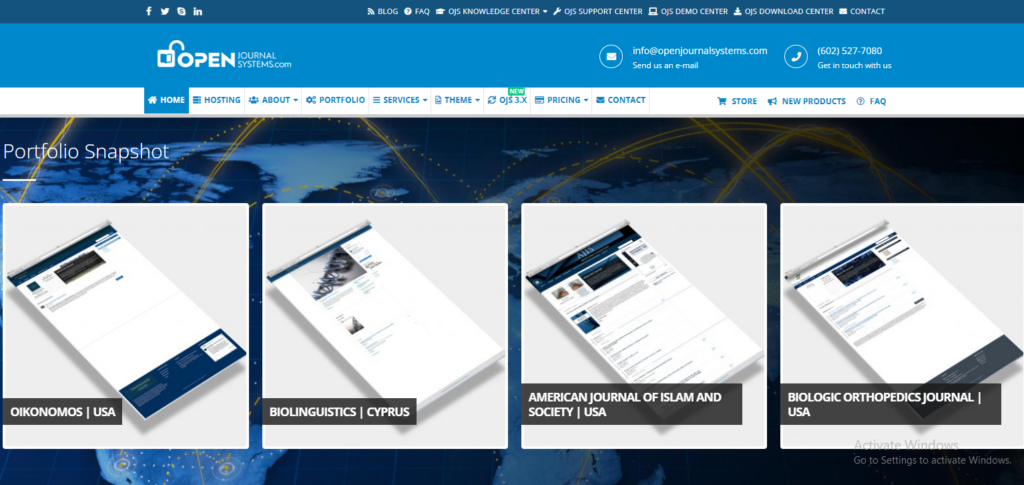
Open Journal Systems is open-source journal publishing software developed by the Public Knowledge Project (PKP). It is used to manage scholarly journals and supports editorial workflows, peer review, and online publication. Because the software is open source, publishers can choose how it is hosted and configured, subject to the software’s requirements and their available technical resources.
OJS can be attractive to universities, scholarly societies, and publishers that want control over their platform and are able to manage technical operations internally or through a specialist hosting provider. Its flexibility can also mean more responsibility for installation, upgrades, security, backups, troubleshooting, customization, and compatibility with plugins or external services.
Potential fit: institutions and publishers with technical capacity, access to a hosting partner, or a requirement for control over deployment and customization.
Costs to consider: the OJS software is free to obtain, but a production service is not necessarily cost-free. Include hosting, domain and email services, implementation, migration, technical support, security monitoring, maintenance, backups, and staff time in the budget.
Questions to verify: identify who will maintain the installation, how upgrades and plugin compatibility are handled, what support is included, how data is backed up, and how the publisher will manage DOI, indexing, and preservation workflows.
Documentation and software information are available from PKP and the PKP documentation hub.
Scholastica

Scholastica provides services for scholarly publishers across peer review, production, and open-access publishing. Its modular model allows a publisher to evaluate separate services rather than assuming that every publishing function must be purchased as one package.
Scholastica’s published pricing lists its Peer Review service at $500 per year plus $10 per submission. Its pricing page describes a volume rate of $8 per submission for publishers processing 500 or more submissions annually. The Open Access Publishing Platform is listed at $1,549 per year per journal, with a 20% volume discount for publishers hosting 10 or more journals. Production is priced separately: $7 per 500 words, $7 per figure or table, and $7 per block equation.
These charges relate to different services and should not be combined into a single assumed package price. Ask for a quote based on the exact services, number of journals, annual submission volume, production requirements, and any applicable contract terms.
Potential fit: publishers that want specialist peer-review, production, or open-access publishing services and prefer a modular service arrangement.
Questions to verify: determine which services are included in the proposal, how costs change with submission volume and production complexity, what hosting and support cover, and how the publisher can export its records and content.
Check the provider’s official pricing page for current rates and terms.
Top Journal Management Software Compared
This table summarizes the documented operating models. It is not a claim that every product has identical functionality. Confirm feature availability, plan limits, integrations, and service terms with the provider before procurement.
| Evaluation area | Alkademy Press | Open Journal Systems | Scholastica |
|---|---|---|---|
| Operating model | Hosted platform | Open-source software; self-hosted or provider-hosted | Modular publishing services |
| Submission and peer review | Included in published platform feature set | Core OJS workflow | Dedicated Peer Review service |
| Journal website | Included in published platform feature set | Core publishing capability | Available through its publishing platform |
| AI screening | Described in current product information; plan limits apply | Depends on configuration or external tools | Confirm current product scope with provider |
| Production services | Confirm exact included workflow and scope | May require plugins, staff, or external services | Separately priced production service |
| Multi-journal use | Plan limits published by journal count | Supports journal installations and configurations; deployment design matters | Volume pricing available for qualifying multi-journal publishers |
| Pricing model | Free tier; paid plans by provider quote; transaction fee may apply | Software is free; hosting and operations cost extra | Annual, per-submission, and production charges depending on service |
| Technical responsibility | Hosting managed by provider; confirm service terms | Publisher or hosting partner manages deployment and maintenance | Provider manages the contracted services; confirm scope |
The table is a starting point, not a procurement decision. A publisher should compare a like-for-like workflow using the same sample manuscript, review model, publication requirements, and expected annual volume across shortlisted providers.
How Much Does Journal Management Software Cost?
Journal management software pricing varies because products include different combinations of software access, hosting, editorial services, production, and support. The most useful comparison is the total annual cost of operating the workflow your publisher actually needs.
Alkademy Press Pricing
Alkademy Press lists a Free plan at £0 with one journal, five members, 20 submissions per month, five AI screenings per month, and 500 MB of storage. Starter lists three journals, 20 members, 100 submissions per month, 50 AI screenings per month, and 5 GB of storage. Pro lists 10 journals, 100 members, 500 submissions per month, 200 AI screenings per month, and 25 GB of storage. Enterprise is described as unlimited or custom. Paid plan prices are available by contacting the provider. The product information also notes a small transaction fee for APC payments passed to the journal.
Open Journal Systems Total Cost
OJS is free, open-source software, but publishers should budget for the environment around it. Typical cost categories include hosting, domain and email, installation, theme or plugin customization, migration, maintenance, upgrades, backups, security, technical support, and staff time. A university with an existing IT team may absorb some of these responsibilities; an independent publisher may need a paid hosting or support provider.
Scholastica Pricing
Scholastica’s published pricing lists Peer Review at $500 per year plus $10 per submission, with a stated $8 per-submission rate for 500 or more submissions annually. Its Open Access Publishing Platform is listed at $1,549 per year per journal, with a 20% volume discount for publishers hosting 10 or more journals. Production charges are listed at $7 per 500 words, $7 per figure or table, and $7 per block equation. Verify the current schedule and whether additional services or contract terms affect the total.
Pricing checked November 20, 2026. Vendor prices and plan limits can change. Treat these figures as a reference point and confirm current rates directly before budgeting or signing a contract.
Build a Total-Cost Model Before Choosing
- Annual platform or hosting fees
- Per-submission, per-article, or per-journal charges
- Production, copyediting, typesetting, and XML costs
- Payment processing and transaction fees
- Migration, setup, training, and customization
- Technical maintenance, support, and security
- Storage, backups, archiving, and data export
- Internal staff time and administrative overhead
How to Choose the Right Platform for Your Publishing Team
Start with the journal’s editorial and publication requirements, not a vendor’s feature checklist. A platform that is inexpensive but requires substantial technical work may cost more to operate than expected. Conversely, a hosted service may reduce maintenance responsibilities but offer less control over deployment or customization.
Map the Publishing Workflow
Document the steps from submission to publication, including screening, editor assignment, reviewer selection, revision rounds, decisions, production, metadata, and publication. Identify exceptions such as special issues, guest editors, appeals, withdrawals, and corrections.
Define Your Operational Capacity
Be realistic about who will administer the platform, maintain integrations, handle user support, manage backups, and respond to technical incidents. If the publisher has no dedicated technical team, the availability and quality of provider support should carry significant weight.
Test With Real Editorial Scenarios
Ask each provider to demonstrate a manuscript moving through your actual workflow. Test reviewer invitations, late reviews, revisions, conflicts of interest, editorial reassignment, acceptance, production handoff, and publication. Include the author and reviewer experience in the evaluation, not just the administrator dashboard.
Confirm Data and Exit Options
Before committing, request a sample export and check whether it includes the records the publisher needs. Review contract termination, data retention, file retrieval, migration assistance, and any fees associated with leaving the service.
Questions to Ask Before Selecting Journal Management Software
- Which stages of our editorial and publication workflow are included in the platform?
- Can we configure different workflows for different journals?
- How are reviewer identities, conflicts of interest, and confidential files protected?
- Which integrations are live today, and which require additional setup or fees?
- Who is responsible for hosting, backups, security updates, and incident response?
- Can we export submissions, files, reviews, decisions, users, and article metadata?
- What are the limits on journals, users, submissions, storage, and AI usage?
- How are support requests handled, and what response times are included?
- What is the complete annual cost at our expected submission and publication volume?
- What happens to our content and records if we end the contract?
Frequently Asked Questions
What is the best journal management software for academic publishers?
There is no single best option for every publisher. Alkademy Press offers a hosted platform with submissions, peer review, journal websites, and billing. OJS offers open-source software and deployment flexibility, with technical responsibilities that must be managed. Scholastica offers modular peer-review, production, and open-access publishing services. The right choice depends on workflow fit, technical capacity, publishing requirements, and total cost.
Is Open Journal Systems completely free?
OJS is free, open-source software. Operating a journal on it may still involve hosting, implementation, customization, maintenance, security, backups, support, and staff costs. Publishers should budget for the complete service rather than software licensing alone.
Does journal management software handle peer review?
Many journal-management platforms include peer-review workflows such as reviewer invitations, report submission, deadlines, revisions, and editorial decisions. The exact workflow and review models differ by product, so publishers should test the process with their own editorial policies.
Can one platform manage multiple academic journals?
Some platforms support multi-journal publishing, but limits and administration models vary. Check journal-count limits, shared user management, journal-specific permissions, reporting, branding, and how confidential editorial records are separated.
What should publishers check about metadata and DOI registration?
Confirm which metadata fields the platform captures, how records are exported or deposited, whether DOI registration is integrated or handled separately, and how corrections and updates are maintained. Ask for a demonstration using a real article record and verify compatibility with the publisher’s scholarly infrastructure.
Final Thoughts
Journal management software can help academic publishers coordinate editorial work, maintain reliable records, and support a more consistent publishing operation. However, the right platform is the one that fits the publisher’s real workflow and operational capacity—not necessarily the one with the longest feature list.
Alkademy Press, OJS, and Scholastica offer different approaches. Compare their current capabilities, technical responsibilities, integrations, data portability, support, and full costs. Use a structured demonstration and a realistic total-cost model before making a commitment.
If you are evaluating a hosted journal-management environment, explore Alkademy Press and review its current plans, feature limits, and service details with the provider.