
Compare Moodle vs Canvas LMS to understand their features, pricing, customization, usability, and differences before choosing the right platform for your institution.
TL;DR
- Moodle is an open-source LMS that gives institutions more control over customization, hosting, and platform configuration.
- Canvas LMS offers a structured learning environment with intuitive course management and managed deployment options.
- Customization: Moodle provides greater flexibility through its open-source architecture and plugin ecosystem.
- Ease of use: Canvas offers a consistent interface, while Moodle’s usability depends partly on its configuration.
- Best choice: Choose Moodle for greater technical control or Canvas for a managed learning environment with structured teaching workflows.
Choosing the right learning management system (LMS) can make a significant difference in how an institution delivers courses, manages assessments, and supports students.
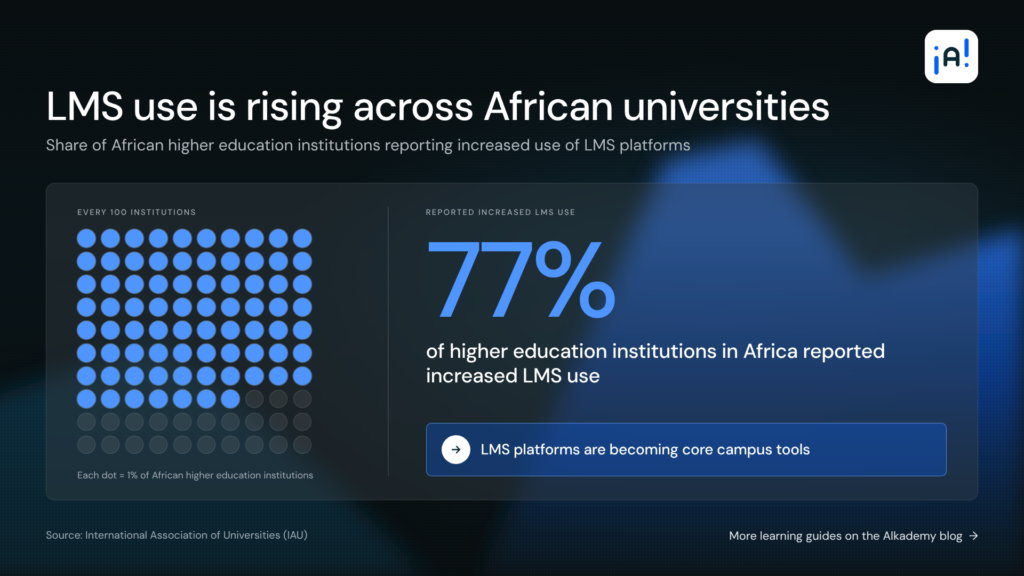
According to the International Association of Universities (IAU), 77% of higher education institutions in Africa reported increased use of LMS platforms.
Moodle and Canvas LMS are two popular options, but they approach digital learning differently.
Understanding their features, costs, and limitations will help you compare both platforms, explore suitable alternatives, and choose an LMS that meets your institution’s needs.
Table of Contents
What Is Moodle LMS?
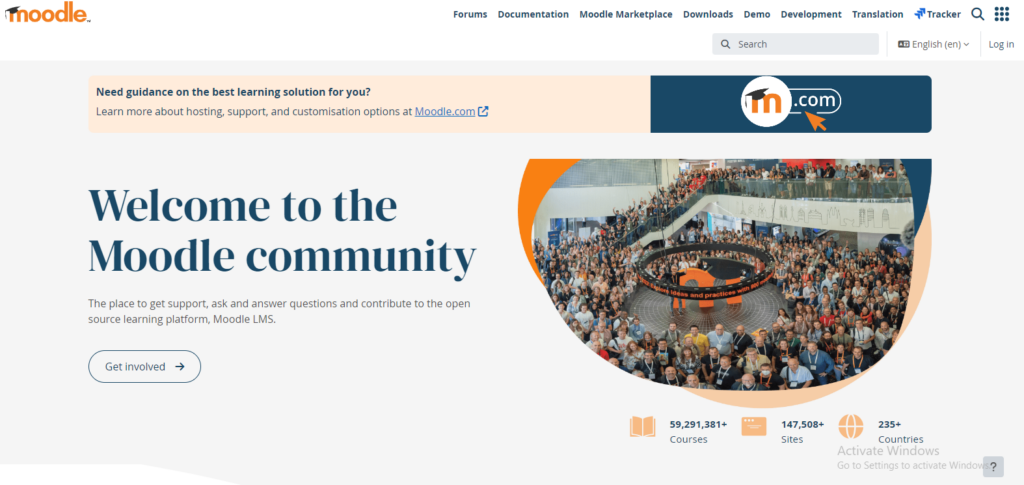
Moodle is an open-source learning management system used by educational institutions, businesses, and training organizations to create and manage online learning environments.
Its biggest advantage is flexibility. Institutions can customize the platform, install plugins, integrate external applications, and configure courses around their teaching requirements.
Moodle supports both traditional classroom instruction and online learning, making it useful for organizations that want greater control over their digital learning infrastructure.
Key Features of Moodle
Moodle provides several tools for managing teaching and learning activities.
- Course management: Organize lessons, learning materials, activities, and resources.
- Quizzes and assessments: Create examinations, quizzes, and assignments.
- Grading and feedback: Evaluate submissions and provide feedback to learners.
- Discussion forums: Encourage communication and collaborative learning.
- Plugin integrations: Extend functionality with additional plugins and compatible applications.
- Progress tracking: Monitor course completion, participation, and learner performance.
- Mobile learning: Give students access to supported learning activities through the Moodle app.
One important consideration is plugin management.
Additional plugins can expand Moodle’s capabilities, but institutions must check compatibility, maintenance, security, and support before installing them.
Who Should Use Moodle?
Moodle is particularly suitable for:
- Universities and colleges: Institutions that need flexible course management and assessment tools.
- Schools: Organizations delivering blended or online learning.
- Independent educators: Instructors who want greater control over their course environments.
- Businesses: Companies managing employee training and professional development.
- Technology-driven institutions: Organizations with technical teams capable of managing hosting, integrations, and customization.
Advantages and Disadvantages of Moodle
Advantages
- Open-source software without a core licensing fee.
- Extensive customization opportunities.
- Flexible hosting and infrastructure arrangements.
- A broad plugin ecosystem.
- Suitable for different educational and training environments.
Disadvantages
- Self-hosting requires technical management.
- Customization can increase development costs.
- Plugins need ongoing compatibility and security checks.
- User experience depends partly on the institution’s configuration.
Moodle offers considerable control, but institutions should be prepared to manage the technical responsibilities that come with it.
What Is Canvas LMS?
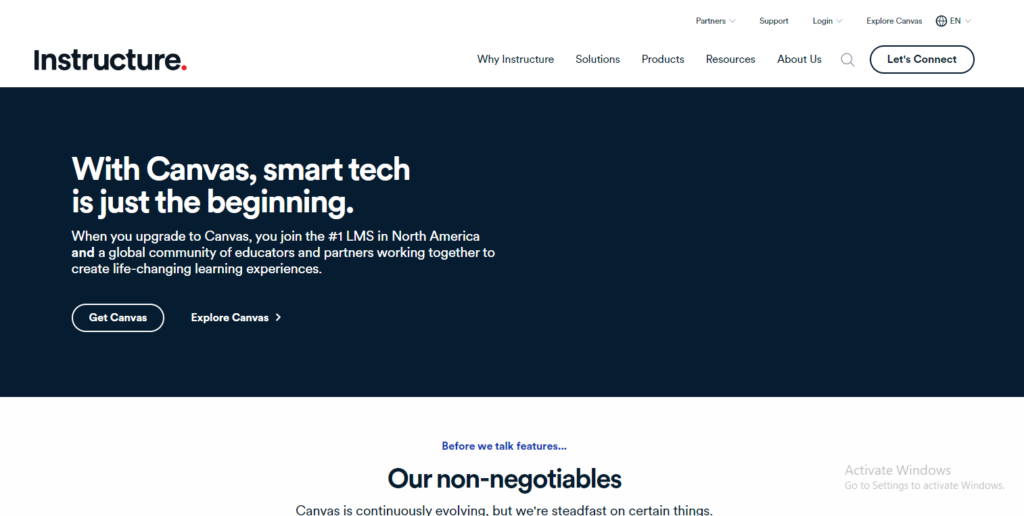
Canvas LMS, developed by Instructure, is a learning management system designed to help educational institutions organize courses, deliver instructional content, assess students, and manage communication.
Canvas places considerable emphasis on usability and structured course delivery. Its interface brings learning materials, assignments, grades, discussions, and other activities into a centralized environment.
It is used across different educational settings, including schools, colleges, and universities.
Key Features of Canvas LMS
Canvas combines several tools to support everyday teaching and learning.
- Course management: Organize lessons, modules, announcements, and learning materials.
- Assignment management: Create assignments, collect submissions, and review student work.
- Quizzes and assessments: Evaluate learner understanding through online assessments.
- Grading tools: Use Gradebook and SpeedGrader to review submissions and provide feedback.
- Discussions: Support communication and collaborative learning.
- Third-party integrations: Connect compatible applications through Learning Tools Interoperability (LTI) and other supported integrations.
- Learning analytics: Monitor available course activity and learner progress.
- Mobile applications: Access learning activities through Canvas Student and Canvas Teacher apps.
Who Should Use Canvas LMS?
Canvas is worth considering for:
- Universities and colleges: Institutions managing multiple courses and academic departments.
- K-12 schools: Schools supporting classroom and digital learning.
- Online educators: Instructors organizing course materials and assignments.
- Academic administrators: Teams coordinating teaching activities and monitoring learner progress.
- Institutions seeking managed deployment: Organizations that prefer not to manage their own LMS server infrastructure.
Advantages and Disadvantages of Canvas LMS
Advantages
- Structured interface and course navigation.
- Integrated assignment and grading workflows.
- Managed deployment options.
- Support for external educational applications.
- Dedicated mobile applications.
- Course and administrative reporting capabilities.
Disadvantages
- Institutional licensing can involve significant costs.
- Hosted deployments provide less direct infrastructure control.
- Deep platform-level customization may be more restricted.
- Available features depend on the selected service arrangement.
Canvas can simplify everyday learning management, but institutions should evaluate licensing, integrations, and administrative requirements before committing.
Moodle vs Canvas LMS: Key Features Compared
Both platforms provide the essential tools needed to manage digital learning.
However, their differences become clearer when you compare how they handle everyday educational activities.
| Feature | Moodle | Canvas LMS |
| Software model | Open-source | Commercial LMS |
| Customization | Extensive | Supported customization |
| Hosting | Self-hosted or managed options | Managed deployment options |
| Course management | Flexible course structures | Structured modules |
| Assessments | Quizzes, assignments, question banks | Quizzes, assignments, rubrics |
| Grading | Configurable grading tools | Gradebook and SpeedGrader |
| Integrations | Plugins and supported integrations | LTI and other integrations |
| Mobile access | Moodle app | Student and Teacher apps |
| Analytics | Reports, logs, and plugins | Integrated analytics and reporting |
| Pricing | No core software licensing fee | Institutional licensing arrangements |
Let’s look at the differences that matter most.
User Interface and Ease of Use
Canvas is generally easier to navigate out of the box because it provides a consistent interface for accessing courses, assignments, grades, and announcements.
Moodle offers more flexibility, but the experience can vary depending on the theme, plugins, and administrative configuration.
Recommendation: Consider Canvas if you prefer a more standardized starting experience. Moodle can also provide straightforward navigation when configured properly.
Course Creation and Management
Moodle allows instructors to organize courses using topics, sections, activities, and resources. This flexibility supports different teaching approaches, including self-paced learning and collaborative coursework.
Canvas uses modules to organize course materials into structured learning sequences. Instructors can arrange content, assignments, and activities in a way that helps students follow a defined course progression.
Recommendation: Consider Moodle for configurable course structures and Canvas for standardized, module-based course delivery.
Customization and Flexibility
This is one of Moodle’s strongest advantages.
Because Moodle is open-source, institutions can modify its appearance, install compatible plugins, and develop additional functionality.
Canvas also supports themes, course-level customization, and external integrations. However, institutions using hosted deployments have less direct control over the underlying platform.
Recommendation: Moodle is worth considering for institutions that require extensive customization and infrastructure control.
Assessments and Grading
Both platforms offer tools for creating assessments, managing submissions, and evaluating student performance.
Moodle supports quizzes, assignments, question banks, grading workflows, and different assessment configurations.
Canvas provides assignments, quizzes, rubrics, Gradebook, and SpeedGrader. SpeedGrader allows instructors to review submissions, add comments, and provide feedback within a centralized workflow.
Recommendation: Both are strong options. Choose based on assessment complexity, grading requirements, and instructor preferences.
Communication and Student Engagement
Moodle supports forums, messaging, announcements, and collaborative learning activities.
Canvas offers discussions, announcements, messaging, and notifications to help students and instructors stay connected.
The availability of these tools does not automatically guarantee student engagement. Instructors still need to create meaningful activities and establish clear communication practices.
Recommendation: Either platform can support communication and collaboration. Focus on the teaching activities and engagement strategies your institution needs.
Integrations and Third-Party Compatibility
An LMS rarely works in isolation. Institutions often need to connect it to student information systems, video conferencing tools, digital libraries, examination software, and other educational applications.
Moodle uses plugins and supported integration methods to extend its capabilities.
Canvas supports integrations through LTI, allowing compatible external tools to operate within the learning environment.
Recommendation: Consider Moodle if plugin-based flexibility is important. Canvas is worth considering if your institution prefers structured integration options. In both cases, verify compatibility with your existing systems.
Mobile Learning and Accessibility
Moodle and Canvas both provide mobile applications, but institutions should check whether the specific activities and integrations they use work properly on mobile devices.
Accessibility also deserves attention. A platform’s accessibility features do not automatically make every course accessible. Instructors must consider headings, captions, alternative text, document structure, keyboard navigation, and readable content.
Recommendation: Neither platform has an automatic advantage here. Test both against your institution’s mobile and accessibility requirements.
Learning Analytics and Reporting
Moodle provides activity logs, course completion information, and reporting capabilities that can be extended through plugins.
Canvas provides course and administrative analytics, depending on the institution’s service arrangement and configuration.
For institutions that want to use analytics to improve academic performance, the important question is whether the platform provides reliable data that instructors and administrators can act on.
Recommendation: Both offer useful reporting capabilities. Evaluate the specific reports, data access, and intervention workflows available in your chosen deployment.
Moodle vs Canvas LMS: Pricing and Total Cost of Ownership
The price of an LMS is not limited to its software or subscription fee.
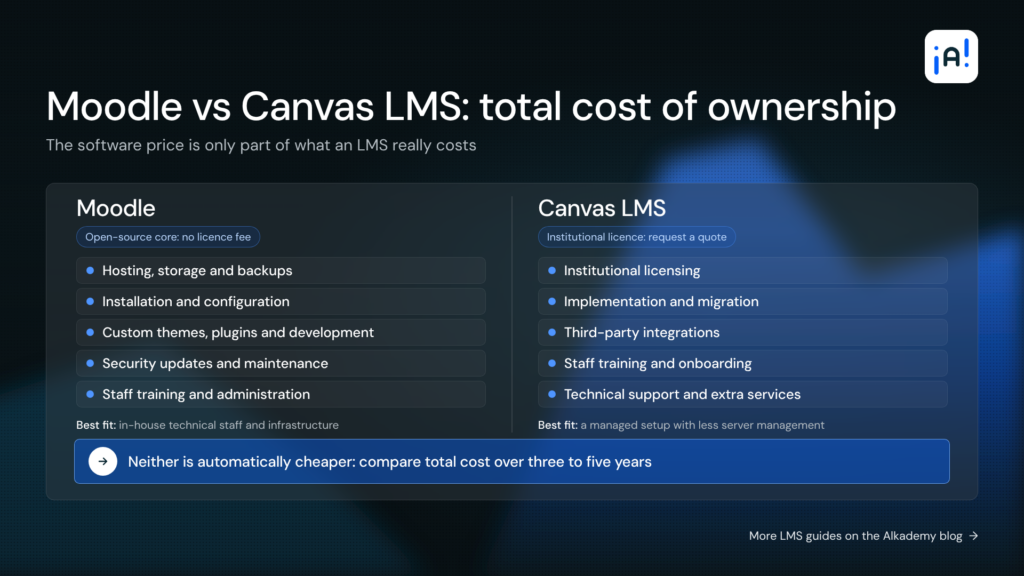
Hosting, implementation, integrations, training, maintenance, and technical support all contribute to the total cost of ownership.
Moodle Pricing
Moodle’s core software is open-source and does not require a licensing payment.
However, institutions should budget for:
- Hosting, storage, backups, and infrastructure.
- Initial installation and configuration.
- Custom themes, plugins, and development.
- Security updates and technical maintenance.
- Staff training and platform administration.
Institutions can also choose managed hosting or commercial Moodle services, depending on their technical capacity.
Canvas LMS Pricing
Canvas offers institutionally licensed services, with pricing generally based on the organization’s requirements and selected services.
Potential expenses include:
- Institutional licensing.
- Implementation and migration.
- Third-party integrations.
- Staff training and onboarding.
- Technical support and additional services.
Canvas also offers a Free-for-Teacher option for individual educators. However, it does not provide all the administrative and integration capabilities available in institutional deployments.
For accurate pricing, institutions should request a quotation from Instructure.
Which Platform Offers Better Value?
Neither platform is automatically cheaper.
Moodle may offer better financial flexibility when an institution already has the technical staff and infrastructure needed to manage it.
Canvas may offer better operational value when an institution prefers a managed environment and wants to reduce its direct server-management responsibilities.
Before deciding, calculate:
- Initial implementation costs.
- Annual licensing or hosting expenses.
- Technical support and maintenance.
- Staff training requirements.
- Integration and customization costs.
- Expected expenses over three to five years.
This gives decision-makers a more realistic comparison than looking at software pricing alone.
Moodle vs Canvas LMS: Which Is Better for Different Learning Environments?
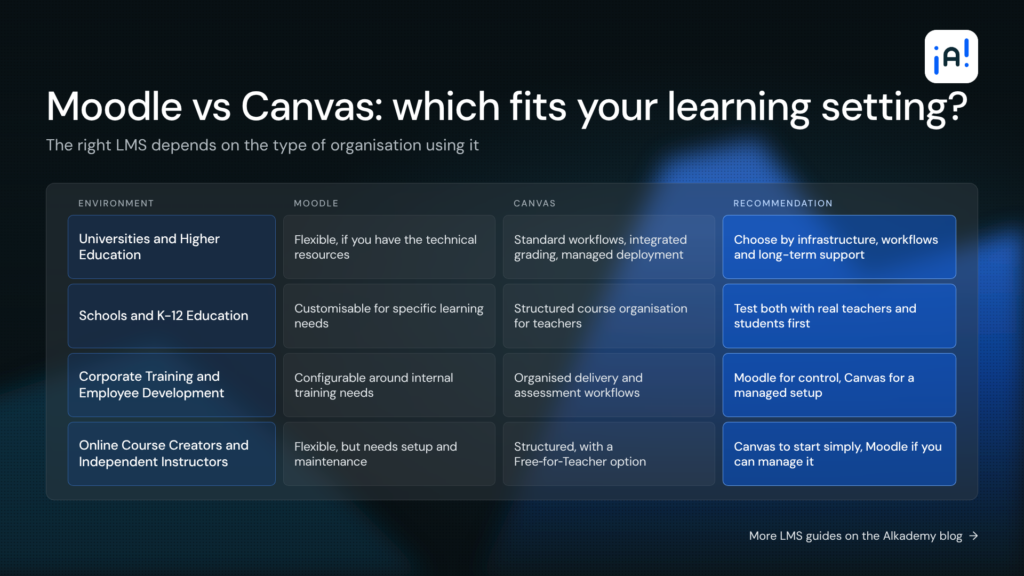
The right LMS also depends on the type of organization using it.
Universities and Higher Education
Universities often need to manage large student populations, multiple departments, complex assessments, and academic reporting.
Moodle is suitable for institutions that need flexibility and have the technical resources to manage their learning environment.
Canvas is worth considering for universities that prefer standardized course workflows, integrated grading tools, and managed deployment.
Recommendation: Choose based on infrastructure requirements, academic workflows, and long-term support capacity.
Schools and K-12 Education
Schools need an LMS that makes it easy to share lessons, manage assignments, communicate with learners, and monitor academic progress.
Moodle offers customization for schools with specific learning requirements.
Canvas provides structured course organization that can help teachers manage lessons and assignments.
Recommendation: Test both platforms with actual teachers and students before making a school-wide decision.
Corporate Training and Employee Development
Businesses use LMS platforms to onboard employees, deliver training, assess knowledge, and track professional development.
Moodle can be configured around internal training requirements, particularly where customization is important.
Canvas provides organized course delivery and assessment workflows for structured training programs.
Recommendation: Consider Moodle for greater control and Canvas for a managed learning environment.
Online Course Creators and Independent Instructors
Independent educators need tools to organize lessons, manage learners, and evaluate progress.
Moodle provides flexibility but may require technical setup and maintenance.
Canvas offers a structured teaching environment, while its Free-for-Teacher option allows individual educators to explore selected capabilities.
Recommendation: Canvas is worth trying for instructors who want a straightforward starting point. Moodle is suitable for those comfortable managing a more customizable platform.
Moodle vs Canvas LMS: How to Choose the Right Platform
Before choosing an LMS, look beyond the feature list.
Think about how the platform will fit into your institution’s daily operations.
Consider these questions:
- What is your budget? Include hosting, licensing, implementation, and maintenance.
- Who will manage the platform? Determine whether you have an internal IT team or need a managed service.
- How much customization do you need? Identify your essential workflows and integrations.
- What is the expected number of users? Consider peak usage, not just current enrollment.
- What systems must connect to the LMS? Check compatibility with existing academic and administrative software.
- What support will users receive? Consider onboarding, training, troubleshooting, and ongoing assistance.
It is also sensible to run a pilot before making a full commitment.
Ask instructors to create courses, test assessments, and review grading workflows. Have students access the platform on different devices and report any difficulties.
A short pilot can reveal usability and integration problems before they affect an entire institution.
Is There an Alternative to Moodle and Canvas LMS?
Moodle and Canvas are established LMS options, but they are not the only platforms institutions should consider.
Some organizations want more than course delivery and assessment tools. They may also need attendance management, academic reporting, learner engagement, and administrative workflows within one environment.
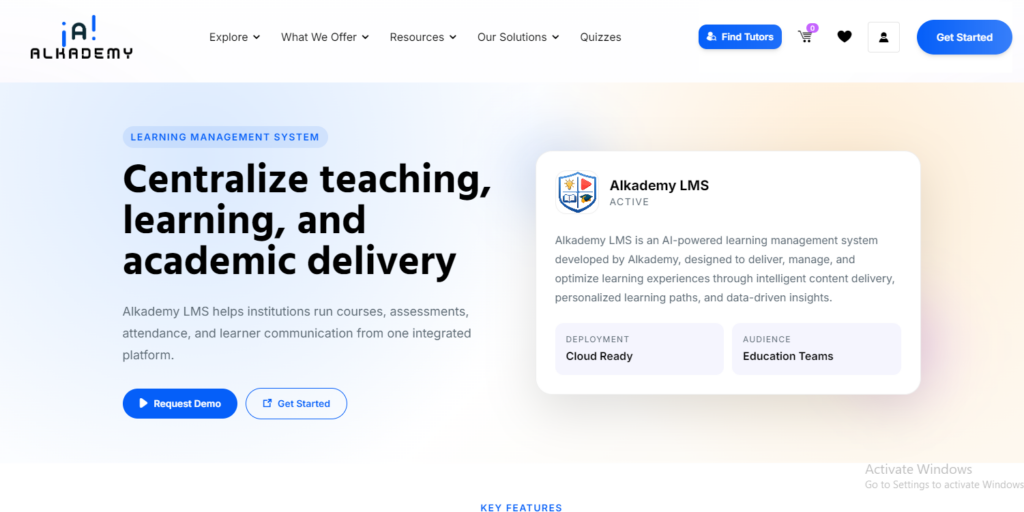
One option worth exploring is Alkademy LMS, an AI-powered learning management system developed to support teaching, learning, and academic administration.
What Is Alkademy LMS?
Alkademy LMS is designed to bring course delivery, assessments, attendance, learner communication, and academic reporting into one platform.
According to its product information, it also incorporates intelligent content delivery, personalized learning paths, and data-driven insights.
Its cloud-ready positioning makes it an option for institutions exploring centralized digital learning management.
Key Features of Alkademy LMS
Alkademy LMS key features include:
- Course Delivery: Organize modules, lessons, announcements, and learning resources in a centralized workspace.
- Assessments and Grading: Manage quizzes, assignments, grading workflows, and feedback.
- Attendance and Engagement: Track attendance records, participation, and learner activity to help identify students who may need support.
- Academic Reporting: Provide departments, faculty teams, and administrators with performance information to support academic monitoring.
Who Should Consider Alkademy LMS?
The platform is suitable for:
- Universities and colleges: For coordinating academic programs, teaching activities, and assessments.
- Schools and academies: For managing structured learning content, attendance, and learner participation.
- Corporate learning teams: For organizing internal training and monitoring learning activities.
Why Consider Alkademy LMS?
Institutions looking for an integrated learning environment may find its combination of academic and administrative capabilities relevant.
Its stated benefits include:
- Centralized course and academic operations.
- Teaching and assessment management.
- Attendance and learner activity tracking.
- AI-powered content delivery and personalized learning paths.
- Academic reporting and performance insights.
- Cloud-ready deployment.
For organizations looking to strengthen employee development, our guide on building a continuous learning culture in the workplace explores how businesses can encourage ongoing learning and skills development.
As with any LMS, institutions should request a demonstration and verify the available features, integrations, implementation requirements, security arrangements, and pricing before making a decision.
FAQs
Is Moodle better than Canvas LMS?
Moodle is generally better for institutions that prioritize open-source flexibility, customization, and infrastructure control. Canvas may be more suitable for organizations that prefer a managed learning environment and standardized course workflows. The best option depends on your budget, technical resources, and teaching requirements.
What is the main difference between Moodle and Canvas LMS?
Moodle is an open-source LMS that allows institutions to control their hosting and customize the platform extensively. Canvas is a commercially offered LMS with managed deployment options and an emphasis on structured course delivery. Both support course management, assessments, grading, and communication.
Is Moodle completely free to use?
Moodle’s core software is free and open-source, so there is no core software licensing fee. However, institutions may need to pay for hosting, installation, maintenance, technical support, and customization. The overall cost depends on how the platform is deployed and managed.
Is Canvas LMS free for individual users?
Yes. Canvas offers a Free-for-Teacher option for individual educators. It provides access to selected course management and teaching tools, but it does not include every feature available in institutionally licensed Canvas environments.
What is the best alternative to Moodle and Canvas LMS?
The best alternative depends on your institution’s needs. Alkademy LMS is an option for schools, universities, and corporate learning teams looking for course delivery, assessments, attendance tracking, learner engagement, and academic reporting in one platform. You can explore Alkademy LMS to learn more.
Final Thoughts on Moodle vs Canvas LMS
Moodle offers greater customization and infrastructure control, while Canvas provides structured course management and managed deployment options.
Before choosing, consider your institution’s budget, technical resources, and learning requirements.
You should also explore alternatives like Alkademy LMS, which combines course delivery, assessments, attendance, and academic reporting.
Ultimately, choose an LMS that meets your needs and supports effective teaching and learning.