Discover how AI document management helps businesses organise, search, archive, and retrieve documents while reducing manual administrative work.
TL;DR
- AI document management helps businesses organise, search, and retrieve digital records more efficiently.
- Technologies such as OCR, machine learning, and natural language processing support document processing and information discovery.
- Automated classification, indexing, and intelligent search reduce dependence on manual filing.
- Businesses should evaluate security, document accuracy, version control, and access permissions before choosing a solution.
- Alkademy Dox helps organisations create searchable document libraries and retrieve information through AI-powered answers linked to source pages.
Businesses handle hundreds or even thousands of documents, from contracts and invoices to reports and employee records.
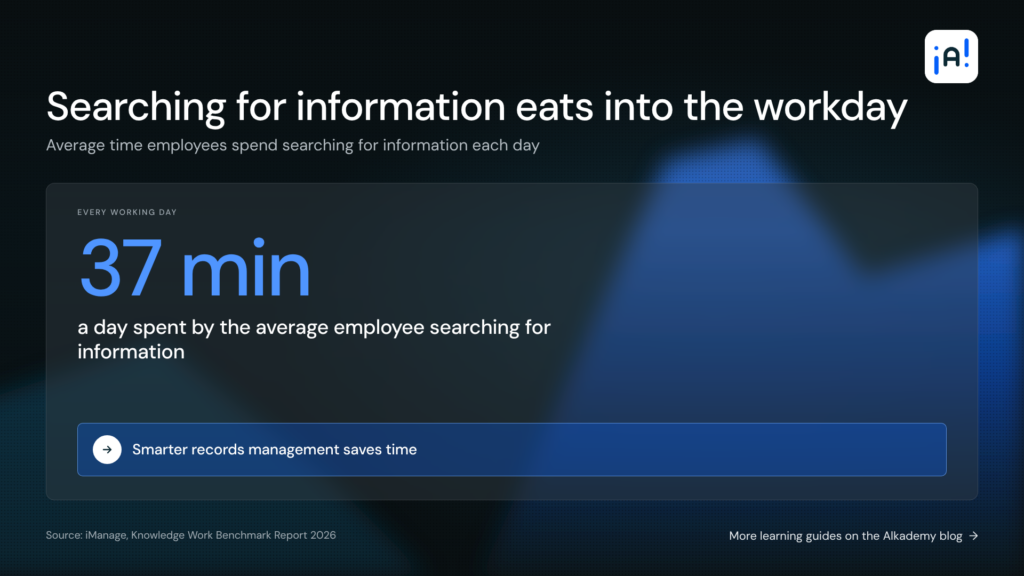
Finding the right information can waste valuable time. According to iManage’s 2026 Knowledge Work Benchmark Report, employees spend an average of 37 minutes a day searching for information. This highlights the need for smarter ways to manage business records.
AI document management addresses this challenge by automating document organisation, indexing, and retrieval, helping employees find relevant information faster.
In this guide, we’ll explore how the technology works, its business benefits, and how Alkademy Dox supports smarter document archiving.
Table of Contents
What Is AI Document Management?
AI document management uses artificial intelligence to help businesses organise, process, search, and retrieve digital documents.
Traditional document management often depends on employees creating folders, naming files, and manually locating records. AI-powered systems introduce automation that makes these tasks easier.
For example, an employee looking for an old supplier agreement can search the document collection instead of checking multiple folders or opening files individually.
Depending on the platform, AI can also extract document information, identify relevant content, and answer questions using stored records.
How Does AI Document Management Work?
AI document management combines several technologies, each performing a different role.
- Machine learning: Identifies patterns in document content and supports automated classification.
- Optical Character Recognition (OCR): Converts text in scanned documents and images into machine-readable text.
- Natural Language Processing (NLP): Helps systems process written language and interpret user queries.
- Large Language Models (LLMs): Can generate summaries and answers based on information retrieved from documents.
These technologies can work together in a document processing workflow.
For example, when a business uploads a scanned report, OCR can extract its text. The extracted content can then be indexed, making it easier to search. An AI-powered question-answering system may subsequently retrieve relevant passages and generate an answer based on the available information.
The quality of the result depends on document readability, extraction accuracy, indexing, and the retrieval system.
AI Document Management vs Traditional Document Management
Both approaches help businesses manage records, but they differ in how information is processed and retrieved.
| Comparison | Traditional Document Management | AI Document Management |
| Organisation | Often relies on manual filing | Can automate selected classification tasks |
| Text extraction | May require manual entry or separate tools | Can use OCR and AI extraction |
| Search | Often relies on filenames and keywords | Can support full-text and semantic search |
| Retrieval | Users locate and open files | Can identify relevant documents and passages |
| Information discovery | Requires employees to review records | Can support AI-assisted answers and summaries |
| Administrative work | More repetitive manual tasks | Can automate selected processes |
The important distinction is that AI-powered document management can help employees work with the information inside documents, not just the files themselves.
Why Businesses Need AI-Powered Document Management
As businesses grow, managing increasing volumes of contracts, invoices, reports, and employee records becomes more challenging.
AI-powered document management helps address common problems such as:
- Growing Document Volumes: Automates document processing and organisation, making large collections easier to manage.
- Fragmented Document Storage: Centralises records scattered across emails, computers, shared drives, and departmental folders.
- Inconsistent Organisation: Uses automated classification and metadata to maintain consistent document organisation.
- Time-Consuming Searches: Makes it easier to find relevant information through full-text and AI-assisted search.
- Duplicate Documents and Version Confusion: Helps maintain document histories, identify updated files, and reduce confusion over outdated versions.
How Businesses Can Automate Document Storage and Retrieval
Automating document management requires a structured process.
Businesses need to prepare their records, organise them, make their contents searchable, and establish clear access procedures.
Here are seven practical steps to consider:
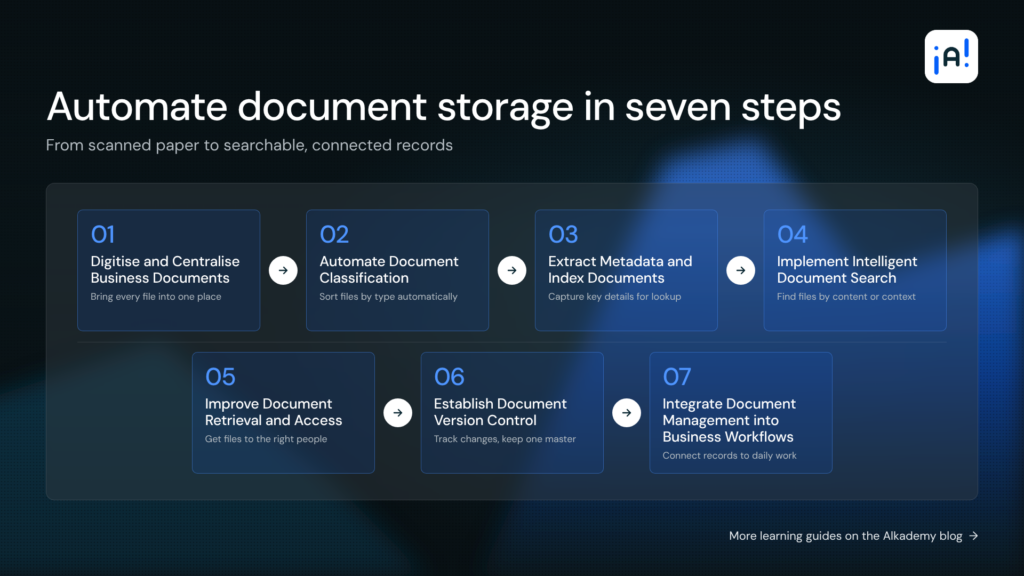
Digitise and Centralise Business Documents
Start by identifying where important business records are currently stored.
These may include physical files, email attachments, shared drives, and existing digital archives.
Convert physical records into suitable digital formats and consolidate documents into an organised repository.
Before migration, remove unnecessary duplicates, identify outdated records, and establish which documents need to be retained.
Businesses managing large document collections can explore different approaches to document archiving software to understand how digital archives support long-term record management.
Automate Document Classification
Once documents are digitised, they need to be organised.
AI-powered classification can analyse document content and help identify categories such as invoices, contracts, reports, and employee records.
For example, a system may recognise an uploaded invoice and assign relevant document metadata.
Automated classification reduces repetitive filing work, although employees should review uncertain classifications, particularly when dealing with important business records.
Extract Metadata and Index Documents
Metadata describes a document and makes it easier to identify.
Common examples include:
- Document title and type.
- Creation or modification date.
- Author or department.
- Reference numbers.
- Relevant keywords and categories.
Document indexing makes this information searchable.
When a user searches for a particular record, the system can use indexed content and metadata to identify relevant results.
This is especially useful when employees remember what a document contains but cannot recall its filename.
Implement Intelligent Document Search
Traditional keyword searches look for matching words in indexed content. Semantic search takes a different approach by using representations of meaning to identify conceptually related information.
For example, someone searching for “employee leave policy” may also find a document titled “Staff Annual Vacation Guidelines” through semantic retrieval.
Some platforms combine keyword and semantic search to improve relevance.
The important point is to choose a search system that matches the way employees actually look for information.
Improve Document Retrieval and Access
Finding a document is only part of the process. Employees also need to retrieve the correct information and access it appropriately.
AI-assisted question answering can help users locate relevant passages without manually reviewing every file.
For example, an employee could ask:
“What does our procurement policy say about supplier approval?”
A document-based AI system can retrieve relevant content and generate an answer.
For important decisions, the answer should link back to its source document and page so employees can verify the original information.
Access permissions should also determine which records each employee can view.
Establish Document Version Control
Contracts, policies, and reports change over time. Without proper version management, employees may unknowingly use outdated information.
A reliable document management process should:
- Preserve previous document versions.
- Record important updates.
- Identify the latest version.
- Maintain access to earlier records when needed.
Version history is particularly valuable for legal, financial, and compliance-related documentation.
Integrate Document Management into Business Workflows
Document management should support everyday operations rather than create another disconnected administrative process.
Consider how documents move through activities such as:
- Employee onboarding.
- Invoice processing.
- Contract reviews.
- Procurement.
- Compliance reporting.
- Internal approvals.
For example, an invoice workflow may involve uploading a document, extracting relevant details, reviewing the information, and archiving the approved record.
Automating appropriate stages can reduce repetitive handling and create more consistent processes.
Benefits of AI Document Management for Businesses
AI document management can improve how employees work with business information. Its value goes beyond keeping files organised.
Its benefits include:
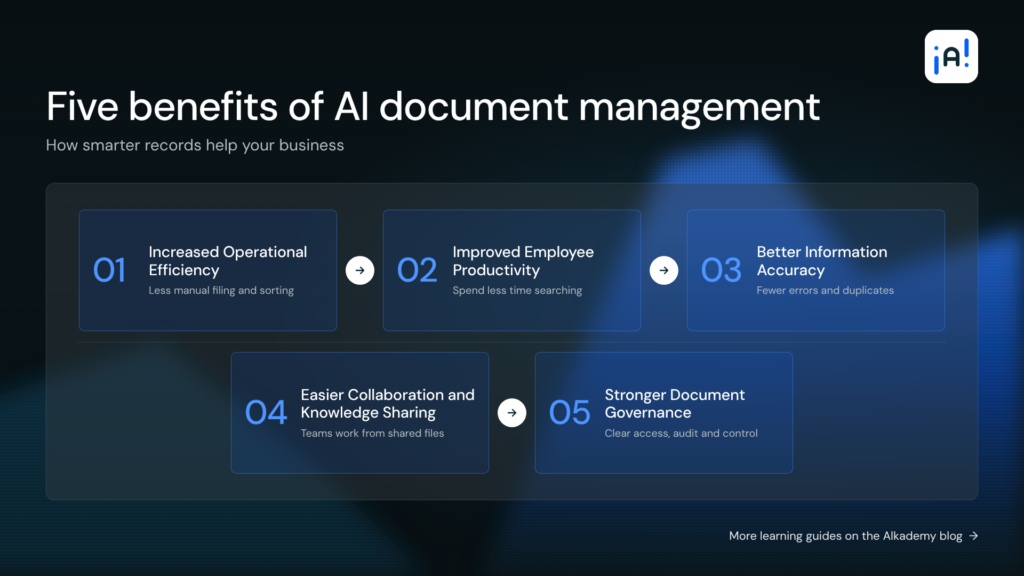
Increased Operational Efficiency
Automating selected document tasks reduces repetitive work such as sorting files, extracting information, and searching through folders.
This helps teams manage records more consistently and spend less time on routine administration.
Improved Employee Productivity
Employees need reliable information to complete their work.
When documents are difficult to locate, even simple tasks can become unnecessarily time-consuming.
Searchable archives and AI-assisted retrieval make it easier to find relevant information and focus on higher-value responsibilities.
Better Information Accuracy
Manual data entry and inconsistent filing can introduce errors into business records.
Automated extraction and classification can help standardise document processing.
However, automation does not guarantee accuracy. Important information should be checked against the original document, particularly when financial, legal, or compliance decisions are involved.
Easier Collaboration and Knowledge Sharing
A structured document archive makes information easier to discover across departments.
Employees can retrieve historical reports, review previous decisions, and access relevant business records without depending entirely on colleagues who originally created or stored them.
Stronger Document Governance
Businesses need clear procedures for managing sensitive records and controlling access.
Depending on the platform, document management capabilities can support:
- Role-based permissions.
- Document version history.
- Audit trails.
- Controlled document sharing.
- More consistent recordkeeping.
These features help organisations maintain accountability and manage information responsibly.
Common Business Use Cases for AI Document Management
AI document management can support different departments and industries. Here are five practical applications.
Human Resources and Employee Records
HR departments manage employment contracts, onboarding forms, training certificates, and employee records.
An organised document archive helps HR teams retrieve relevant records without manually checking multiple folders.
Finance and Accounting
Finance teams process invoices, receipts, statements, and expense reports.
AI document processing can help extract information, organise financial records, and retrieve supporting documents when reviewing transactions.
Human verification remains important before extracted figures are used for financial decisions.
Legal and Compliance Departments
Legal teams work with contracts, agreements, policies, regulatory filings, and other sensitive records.
Searchable document collections help employees locate relevant clauses and historical records.
Version history and access permissions are especially important because legal documents often require careful revision tracking and confidentiality.
Operations and Administration
Operational teams rely on supplier agreements, standard operating procedures, procurement records, and project documentation.
A centralised archive makes these records easier to retrieve, helping teams maintain continuity when responsibilities change.
Educational and Research Institutions
Educational institutions manage academic records, research papers, institutional policies, and administrative documents.
Searchable archives help staff and researchers locate relevant information without manually reviewing entire collections.
How to Choose the Right AI Document Management System
Not every document management platform offers the same capabilities.
Before making a decision, evaluate how well a solution addresses your organisation’s actual requirements.
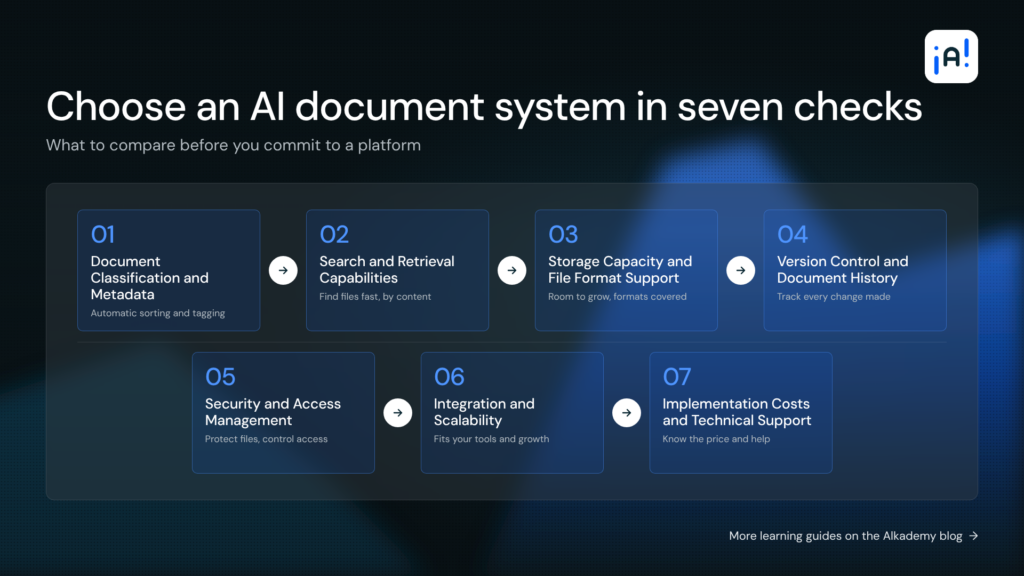
Document Classification and Metadata
Check whether the platform can identify document types, extract relevant information, and organise records consistently.
Ask how it handles classification errors and whether employees can correct inaccurate metadata.
Search and Retrieval Capabilities
Look for the search functionality your employees need.
Important capabilities may include:
- Full-text search.
- Metadata-based search.
- Semantic search, where supported.
- Natural language queries.
- AI-powered question answering.
- Answers linked to original documents and pages.
Source-linked answers are particularly useful because employees can verify the information instead of relying entirely on generated responses.
Storage Capacity and File Format Support
Check which file formats the system accepts and whether its storage limits match your requirements.
Consider PDFs, Word documents, spreadsheets, scanned records, and other files your organisation regularly uses.
Also review upload limits, storage arrangements, and expansion options.
Version Control and Document History
Look for a system that preserves previous versions and makes document changes easier to track.
This is important when teams regularly update contracts, policies, and other business records.
Security and Access Management
Business documents may contain confidential financial, employee, customer, or legal information.
Evaluate:
- User authentication.
- Role-based access permissions.
- Secure storage arrangements.
- Data retention and deletion policies.
- Audit trails and activity records.
- Data processing and privacy practices.
Do not assume that an AI-powered platform is automatically secure. Review its actual security documentation before storing sensitive records.
Integration and Scalability
Consider whether the platform fits your existing business environment.
Check its compatibility with current storage systems, applications, and document migration requirements.
Also consider whether its storage capacity, user roles, and functionality can support future growth.
Implementation Costs and Technical Support
The total cost of document management involves more than subscription fees.
Consider licensing, storage, migration, employee training, maintenance, and technical support.
Compare these costs with the administrative time and resources the organisation expects to save.
Alkademy Dox: A Smarter Approach to Business Document Archiving and Retrieval
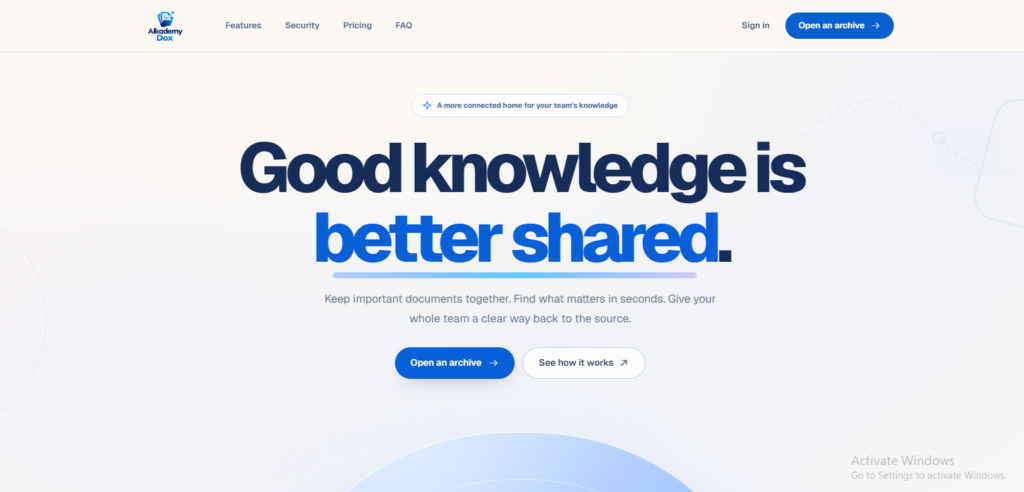
Storing documents is only useful when employees can find and use the information inside them.
Alkademy Dox is an AI-powered document archiving and retrieval system designed to help organisations maintain searchable document libraries and retrieve information from their records.
Rather than relying entirely on folders and filenames, organisations can search document contents and ask questions about archived information.
Here is how its key capabilities support business document management:
Organise Records into Searchable Libraries
Alkademy Dox allows organisations to file supported documents into named libraries.
This provides a structured way to group business records and makes it easier for employees to locate relevant collections.
Supported document formats include PDF, Word, plain text, and Markdown files, subject to the platform’s file limits.
Search Information Inside Documents
Finding a document by its filename is not always enough.
Alkademy Dox supports searching extracted document text, allowing users to find relevant passages within archived records.
This is useful when employees remember the information they need but not the exact document name.
Get AI-Powered Answers with Source References
One of the useful capabilities of Alkademy Dox is its document-based question answering.
Users can ask questions about archived records and receive answers that identify the source document and page.
For example, an employee reviewing internal policies could ask about a particular procedure and follow the answer back to the relevant page.
This makes it easier to verify information against the original record.
Maintain Document Version History
Business records often change as organisations update policies, agreements, and reports.
Alkademy Dox retains earlier files when a later version is uploaded. Its document panel displays version information, including filenames and processing status.
This helps organisations preserve previous records rather than simply replacing them.
Manage Document Access and Storage
Not every employee needs access to every business record.
Alkademy Dox provides organisational roles for administrators, document managers, contributors, and viewers. Its audit records help administrators review activities such as uploads, version changes, deletions, and membership changes.
Organisations can also keep document files on their own servers or use Amazon S3 storage, while the document catalogue, permissions, and audit trail remain within Dox.
These capabilities give businesses more flexibility when organising and managing archived information.
Who Can Benefit from Alkademy Dox?
Alkademy Dox can support organisations that regularly manage and retrieve digital records.
- Businesses and enterprises: Organise contracts, reports, policies, and operational documents.
- Records offices: Maintain searchable collections of minutes, procedures, and institutional records.
- Legal teams: Search agreements and retrieve relevant clauses from archived documents.
- Research organisations: Maintain searchable collections of research papers and reports.
- Educational institutions: Organise academic and administrative documentation.
If your organisation wants to improve how it stores and retrieves digital records, explore Alkademy Dox and its smart document management capabilities.
FAQs
What Is AI Document Management?
AI document management uses artificial intelligence to help businesses organise, process, search, and retrieve digital documents. Depending on the platform, it can support OCR, automated classification, metadata extraction, and AI-assisted question answering.
How Does AI Automate Document Storage and Retrieval?
AI can extract information from uploaded documents, organise records, and make their contents searchable. Employees can then use document search or AI-assisted retrieval to locate relevant information without manually navigating multiple folders.
Can AI Automatically Classify and Organise Business Documents?
Yes. Some AI-powered systems can analyse document contents and identify categories such as invoices, contracts, and reports. The system can use this information to support document classification and organisation. Human review may still be necessary when the classification is uncertain.
Is AI Document Management Secure for Business Documents?
It can support secure document management, but security depends on the platform’s infrastructure, access controls, and privacy practices. Businesses should review authentication, permissions, storage arrangements, data retention, and audit capabilities before uploading confidential information.
What Should Businesses Look for in AI Document Management Software?
Look for document search, metadata extraction, classification, version history, access controls, supported file formats, storage flexibility, and AI-assisted retrieval. Also evaluate implementation costs, technical support, and how accurately the system handles your organisation’s documents.
Final Thoughts on AI Document Management
AI document management helps businesses organise, search, and retrieve records with less manual effort.
Choosing the right solution requires attention to accuracy, security, access control, and version management.
Alkademy Dox brings AI-powered answers, searchable document libraries, source references, and version history together to simplify document archiving and retrieval.
Explore Alkademy Dox for smarter, more efficient document management.